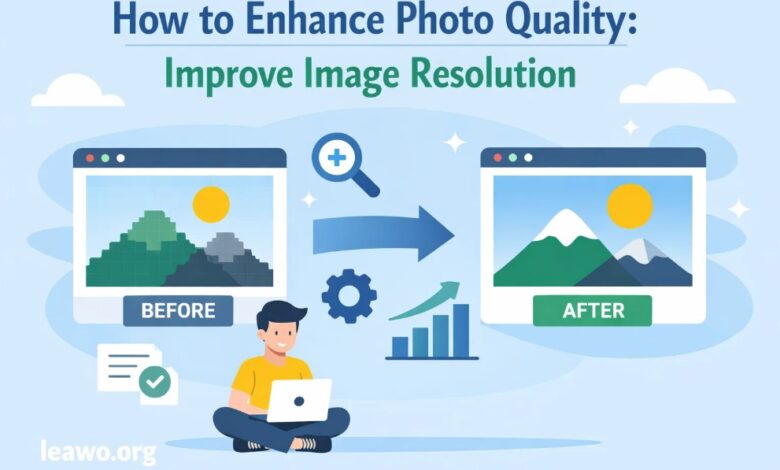
In today’s digital-first world, photos play a powerful role in communication. From social media posts and marketing campaigns to personal memories and professional portfolios, image quality can make or break the impact of a photo. Unfortunately, many images suffer from blurriness, noise, poor lighting, or low resolution. The good news is that modern technology has made it easier than ever to enhance photo quality and breathe new life into images that once seemed unusable.
This in-depth guide will walk you through why photos lose quality and how to fix them using AI tools, online platforms, professional software, and even your smartphone. Whether you’re a beginner or a seasoned editor, you’ll find practical techniques on how to enhance photo quality effectively.
Introduction
Photo quality is not just about aesthetics—it affects clarity, credibility, and emotional connection. A sharp, vibrant image can capture attention instantly, while a dull or pixelated photo may be ignored. With the rise of AI-powered editing tools and accessible software, enhancing photo quality is no longer reserved for professionals.
From quick online fixes to advanced editing workflows, there are multiple ways to improve image resolution, sharpness, color accuracy, and overall visual appeal. This article explores proven methods and tools that help you enhance photo quality free or with professional-grade precision, depending on your needs.
Common Reasons Photos Look Low Quality
Before learning how to improve photos, it’s important to understand why they appear low quality in the first place. Some of the most common reasons include:
Low Resolution: Photos taken with older cameras or downloaded from the internet often lack enough pixels, making them appear blurry or pixelated when enlarged.
Poor Lighting Conditions: Insufficient or uneven lighting introduces noise and reduces detail, especially in shadows.
Motion Blur: Camera shake or subject movement during exposure can cause blur that reduces sharpness.
Compression Artifacts: Images compressed multiple times (such as on social media or messaging apps) lose detail and clarity.
Aging and Damage: Old photographs may fade, discolor, or accumulate scratches over time.
Understanding these issues helps you choose the right approach to how to improve photo quality effectively.
How to Enhance Photo Quality Using AI Tools
Artificial intelligence has revolutionized photo editing. AI-powered tools analyze images pixel by pixel and intelligently restore lost details, reduce noise, and upscale resolution without manual effort.
An image quality enhancer powered by AI can automatically correct common problems such as blur, grain, dull colors, and low resolution. These tools are especially helpful for beginners or users who want fast results without learning complex editing techniques.
Most AI tools work by:
- Upscaling images while preserving edges and textures
- Enhancing facial details in portraits
- Reducing noise without oversmoothing
- Adjusting brightness, contrast, and color balance automatically
An advanced AI photo editor can handle tasks that once required hours of manual retouching. Some tools even allow batch processing, making them ideal for photographers, content creators, and businesses.
How to Enhance Photo Quality Online
Online photo enhancement tools are perfect for users who don’t want to install software. These platforms run directly in your browser and often provide simple sliders or one-click enhancement options.
Key benefits of online tools include:
- No installation required
- User-friendly interfaces
- Quick processing
- Availability of enhance photo quality free options
Many online tools use AI technology under the hood, allowing users to upload an image and instantly improve resolution, sharpness, and color. While free versions may have limitations like watermarks or lower output resolution, they are still excellent for casual use and quick fixes.
Online tools are particularly useful for:
- Social media images
- Website graphics
- Personal photos
- Quick edits on the go
How to Enhance Photo Quality Using Professional Software
For those seeking maximum control and professional results, desktop editing software remains a gold standard. Let’s look at two of the most popular options.
1. Adobe Photoshop
Adobe Photoshop is one of the most powerful tools for photo enhancement. It offers advanced features for improving image resolution, sharpness, and detail.
Ways to enhance photo quality in Photoshop include:
- Using “Super Resolution” to upscale images
- Applying Smart Sharpen for controlled sharpness
- Reducing noise while preserving detail
- Adjusting levels, curves, and color balance manually
Photoshop is ideal for graphic designers, photographers, and professionals who need precision and flexibility. While it has a learning curve, the results can be exceptional.
2. Adobe Lightroom
Adobe Lightroom focuses more on photo enhancement than manipulation. It’s particularly popular among photographers who want to improve image quality while maintaining a natural look.
Lightroom excels at:
- Enhancing exposure and contrast
- Improving color accuracy
- Reducing noise in low-light photos
- Sharpening images without artifacts
Its non-destructive editing workflow allows users to experiment freely without damaging the original photo.
How to Enhance Old or Low-Resolution Photos
Old or low-resolution photos often carry emotional value, but they may be faded, blurry, or damaged. Enhancing them requires a careful balance between restoration and realism.
AI-powered tools have made this process much easier. They can:
- Restore facial features in old portraits
- Remove scratches and dust
- Rebuild missing details
- Colorize black-and-white photos
Dedicated tools like Leawo Photo Enhancer specialize in restoring and upscaling low-quality images using AI algorithms. These tools are especially useful for family photos, historical images, or scanned prints.
For best results:
- Start with the highest-quality scan possible
- Use AI enhancement first
- Fine-tune brightness, contrast, and color manually if needed
How to Enhance Photo Quality on iPhone and Android
Smartphones have become primary cameras for millions of people, and editing photos directly on your phone is incredibly convenient.
Built-in Editing Features
Both iOS and Android offer built-in photo editing tools that allow you to:
- Adjust brightness, contrast, and saturation
- Sharpen images
- Reduce noise
- Apply filters subtly
While these tools are basic, they can significantly improve photo quality with minimal effort.
Third-Party Apps
There are many mobile apps designed specifically to enhance photo quality. These apps often use AI to:
- Upscale images
- Remove blur
- Enhance portraits
- Improve low-light photos
A mobile AI photo editor is perfect for social media creators who want polished images without a computer.
FAQs
What is the best way to enhance photo quality? The best method depends on your needs. AI tools are great for quick and automatic results, while professional software offers more control for detailed editing.
Can I enhance photo quality free? Yes, many online tools and mobile apps offer free options, though they may have limitations on resolution or features.
Will enhancing resolution make my photo look fake? High-quality AI tools are designed to enhance images naturally. Over-processing, however, can make photos look artificial, so moderation is key.
Is AI better than manual editing? AI is faster and easier, especially for beginners. Manual editing provides more creative control and precision for advanced users.
Can low-resolution images be fully restored? While AI can significantly improve low-resolution images, it cannot recreate details that never existed. Results depend on the original image quality.
Conclusion
Enhancing photo quality is no longer a complex or expensive process. With the rise of AI-powered tools, online platforms, professional software, and mobile apps, anyone can improve image resolution, clarity, and visual appeal.
Whether you want to enhance photo quality for personal memories, professional projects, or social media, there is a solution tailored to your needs. From quick AI enhancements to detailed manual edits, learning how to improve photo quality empowers you to present your images at their best.
By choosing the right tools and techniques—and knowing when to use AI versus manual editing—you can transform low-quality photos into sharp, vibrant visuals that truly stand out.