Liam Brady: The Brilliant Irish Football Icon Who Conquered England and Italy

Introduction
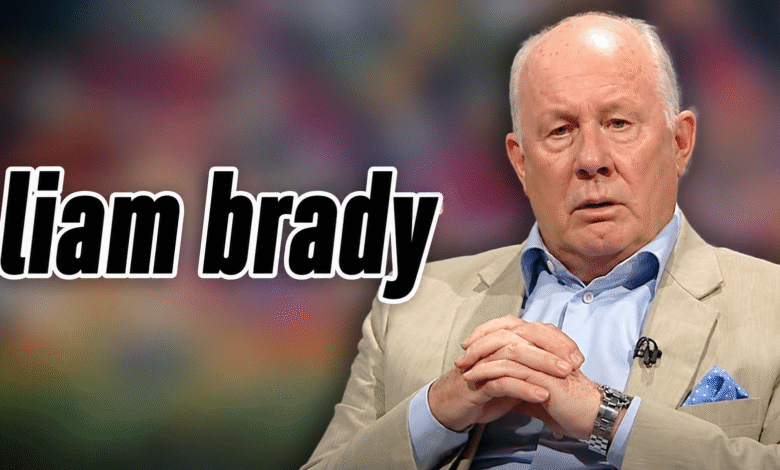
Liam Brady is widely recognised as one of the greatest footballers ever produced by the Republic of Ireland. Known for his elegant left foot, exceptional passing ability, intelligent movement, and calm control of the ball, Brady became a major figure in English and Italian football during the 1970s and 1980s. His performances for Arsenal, Juventus, and the Republic of Ireland earned him respect across Europe.
His career included remarkable achievements, but it was not free from disappointment. He won major trophies and individual honours, yet he also missed important international tournaments and faced difficult periods as a football manager. Despite those negative moments, Liam Brady built a powerful legacy as a player, coach, academy leader, and television analyst.
Quick Bio
| Detail | Information |
|---|---|
| Full Name | William Brady |
| Known As | Liam Brady |
| Date of Birth | 13 February 1956 |
| Age | 70 years old as of 2026 |
| Birthplace | Dublin, Ireland |
| Nationality | Irish |
| Profession | Former footballer, manager, academy director, and pundit |
| Playing Position | Attacking midfielder |
| Height | 1.75 metres |
| International Team | Republic of Ireland |
| International Caps | 72 |
| International Goals | 9 |
| Major Clubs | Arsenal, Juventus, Sampdoria, Inter Milan, Ascoli, West Ham United |
Liam Brady’s Early Life and Education
Liam Brady was born on 13 February 1956 in Dublin, Ireland. He grew up in a family strongly connected with football. Several members of the Brady family played the sport professionally, creating an environment in which football became an important part of his childhood.
He attended St. Aidan’s Christian Brothers School in Dublin. His natural ability became clear at a young age, and he later played youth football for St. Kevin’s Boys. Arsenal recognised his potential and brought him to London as a teenager in 1971. This move marked the beginning of his journey into professional football.
Start of Liam Brady’s Football Career
Joining Arsenal as a Young Player
Liam Brady joined Arsenal’s youth system when he was only 15 years old. Moving from Dublin to London at such a young age was a major personal challenge, but his technical ability and confidence helped him adjust to life in English football.
He signed professional terms with Arsenal in 1973 and made his first-team debut during the same year. Although his early performances showed promise, he gradually developed into one of the most creative and influential midfielders in the English game.
Rise to Stardom at Arsenal
Brady became a central figure in Arsenal’s midfield during the second half of the 1970s. His accurate passing, close control, dribbling, and ability to create chances made him a favourite among supporters. He played with elegance but also worked hard for the team.
One of his greatest achievements came when Arsenal won the FA Cup in 1979. Brady played an important role in the famous final against Manchester United, which Arsenal won 3–2. His outstanding performances also earned him the PFA Players’ Player of the Year award for the 1978–79 season.
Liam Brady’s Successful Career in Italy
Winning Serie A with Juventus
In 1980, Liam Brady left Arsenal and joined Juventus. Moving to Serie A was a bold step because Italian football was considered highly tactical and demanding. However, Brady adapted successfully and became one of the most respected foreign players in the league.
He won two consecutive Serie A titles with Juventus in the 1980–81 and 1981–82 seasons. In the final match of the 1981–82 campaign, he scored an important penalty that helped Juventus secure the championship. His calmness in that decisive moment strengthened his reputation in Italy.
Sampdoria, Inter Milan, and Ascoli
After leaving Juventus, Brady joined Sampdoria in 1982. He spent two seasons with the club and continued to display the passing range and creativity that had made him successful at Arsenal and Juventus.
He later played for Inter Milan and Ascoli. Although he did not win another league title during these periods, his time in Italy proved that an Irish footballer could succeed consistently in one of Europe’s strongest football environments.
Return to England and Retirement
Final Playing Years at West Ham United
Liam Brady returned to England in 1987 and joined West Ham United. His experience and technical intelligence made him a valuable member of the team, even as he approached the end of his playing career.
He retired from professional football in 1990. Across his league career, he made more than 500 appearances and scored 78 league goals. His numbers were impressive, but his wider influence came from the quality, imagination, and style he brought to midfield play.
Republic of Ireland Career
Liam Brady made his international debut for the Republic of Ireland in 1974. Over the following 16 years, he represented his country 72 times and scored nine goals. He became one of the most admired Irish players of his generation.
However, his international career also included frustration. Brady missed the UEFA European Championship in 1988 because of suspension. Ireland later qualified for the 1990 FIFA World Cup, but he was not part of the final tournament squad. These were disappointing moments in an otherwise distinguished international career.
Liam Brady’s Playing Style
Brady was an attacking midfielder celebrated for his left foot, vision, creativity, and ability to control the pace of a match. He could deliver accurate long passes, beat opponents with close control, and create scoring opportunities from difficult positions.
His style was elegant rather than overly physical. He often appeared calm under pressure and could make difficult actions look simple. These qualities made him especially valuable to teams that wanted to build attacks through intelligent and technically gifted midfield play.
Managerial and Coaching Career
Management at Celtic and Brighton
After retiring as a player, Liam Brady moved into football management. He became manager of Celtic in 1991. The club faced financial and competitive difficulties during that period, and Brady was unable to win a major trophy.
He later managed Brighton & Hove Albion between 1993 and 1995. His managerial career did not bring the same level of success as his playing career, but it gave him valuable experience in leadership and player development.
Arsenal Academy Leadership
In 1996, Brady returned to Arsenal and became Head of Youth Development. This role became one of the most important parts of his post-playing career. He helped oversee the development of young players and contributed to Arsenal’s long-term academy structure.
He remained closely involved with the club’s youth development programme until 2013. His work helped strengthen Arsenal’s reputation for developing technically skilled footballers and gave him a major influence beyond his achievements as a player.
Media Career and Sources of Income
Liam Brady later became a respected football analyst. He worked with the BBC and became a long-serving pundit for RTÉ Sport. His calm personality, direct opinions, and understanding of European football made him a trusted television figure.
His publicly known income sources have included professional football, football management, academy leadership, television broadcasting, public appearances, and book-related earnings. However, confirmed details about his current salary and personal net worth are not publicly available.
Personal Life
Liam Brady has generally kept his private life away from public attention. Reliable public information focuses mainly on his football career, coaching work, and television appearances.
Details about his religion, current weight, parents, spouse, children, and personal finances are not consistently confirmed by authoritative sources. Therefore, such information should not be presented as fact.
Honours and Major Achievements
Club and Individual Success
With Arsenal, Liam Brady won the FA Cup in the 1978–79 season. With Juventus, he won two Serie A championships. These achievements made him successful in both English and Italian football.
His individual honours include the PFA Players’ Player of the Year award and multiple Arsenal Player of the Season awards. He has also received recognition through football halls of fame for his contribution to the sport.
Liam Brady’s Legacy
Liam Brady’s legacy is based on more than trophies. He showed that an Irish footballer could become a leading creative player in England and succeed at the highest level in Italy. His performances inspired future generations of Irish players to pursue careers abroad.
His influence continued through Arsenal’s academy and his broadcasting career. Although his managerial record was less successful, his overall contribution to football remains extremely positive. Liam Brady is remembered as a graceful midfielder, a respected football thinker, and an enduring symbol of Irish football excellence.
Conclusion
Liam Brady built an extraordinary career through talent, intelligence, determination, and technical quality. From his early years in Dublin to his success with Arsenal and Juventus, he became one of the most respected midfielders of his era.
His career included setbacks, including missed international tournaments and difficult managerial experiences. Nevertheless, his achievements as a player, youth developer, and football analyst have secured his place among the most important figures in Irish sporting history.
Frequently Asked Questions
What is Liam Brady’s full name?
His full name is William Brady, although he is widely known as Liam Brady.
How old is Liam Brady?
Liam Brady was born on 13 February 1956. He is 70 years old as of 2026.
Where was Liam Brady born?
He was born in Dublin, Ireland.
Which position did Liam Brady play?
He mainly played as an attacking midfielder and was particularly famous for his left-footed passing and creativity.
Which clubs did Liam Brady play for?
He played for Arsenal, Juventus, Sampdoria, Inter Milan, Ascoli, and West Ham United.
Did Liam Brady win Serie A?
Yes. He won two consecutive Serie A titles with Juventus in the 1980–81 and 1981–82 seasons.
How many times did Liam Brady play for Ireland?
He made 72 international appearances for the Republic of Ireland and scored nine goals.
What is Liam Brady’s net worth?
His net worth has not been officially disclosed or confirmed by reliable financial sources.
Did Liam Brady become a manager?
Yes. He managed Celtic and Brighton & Hove Albion and later served as an assistant with the Republic of Ireland.
Why is Liam Brady considered a football legend?
He is considered a legend because of his exceptional technical ability, success in England and Italy, achievements with Arsenal and Juventus, and long-term contribution to youth development and football broadcasting.