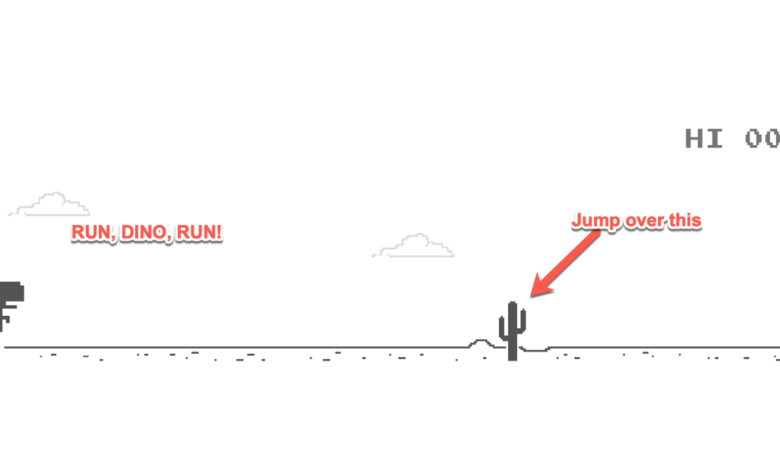
If you’ve ever lost Wi‑Fi mid-task and watched Chrome’s little T‑Rex pop up, you already know why this mini runner is so popular. The good news is you don’t have to wait for an outage to play—it’s easy to run the same style of game right from a normal website.
For a quick, browser-based option, you can play the DIno game online and jump straight into the classic “jump, duck, survive” loop without turning off your internet or messing with device settings.
Below is a practical, step-by-step guide to playing the Dino offline game online, plus tips to get better scores and troubleshoot common issues.
What the Dino offline game is (and why people still play it)
The Dino game is a simple endless runner: your dinosaur automatically runs forward while you avoid obstacles like cacti and pterodactyls. It starts slow, then steadily speeds up until mistakes become inevitable. That tight gameplay loop is exactly why it’s still a favorite for quick breaks—no downloads, no long tutorials, and no complicated controls.
How to play the offline-style Dino game on an online website
Playing online is basically the same experience as the offline version, but without needing airplane mode or a disconnected network. Here’s the easiest way to do it.
- Open the game page in any modern browser. Chrome, Safari, Edge, and Firefox typically work well.
- Start the run. On desktop, you’ll usually press the spacebar or up arrow. On mobile, a tap often starts the game.
- Use simple controls to avoid obstacles. Jump over cacti, and duck under low-flying pterodactyls as the speed increases.
- Focus on rhythm as it speeds up. The best scores come from timing, not frantic tapping.
Controls and gameplay basics (desktop vs. mobile)
The controls are intentionally minimal, but small differences between devices can affect performance—especially at higher speed.
- Desktop: Spacebar or ↑ to jump; ↓ to duck. Keyboard input is usually the most precise.
- Mobile/tablet: Tap to jump; press/hold or swipe (depending on the site) to duck. Keep your thumb movements consistent to avoid late inputs.
- Game objective: Survive as long as possible while the score increases with distance/time.
Tips to get a higher score (without “cheating”)
If you’re trying to beat a personal best, the biggest improvements come from anticipation and consistency.
- Jump earlier than you think. At higher speed, “perfect timing” becomes “slightly early timing.”
- Use short, controlled ducks. Don’t hold duck too long or you’ll be late on the next jump.
- Watch the horizon, not the Dino. Your reaction time improves when you track obstacles sooner.
- Learn pterodactyl patterns. Their heights vary, so be ready to duck or jump based on position.
Common problems and quick fixes
If the game feels laggy or your inputs don’t register, it’s usually a browser or device issue rather than the game itself.
- Lag or stutter: Close extra tabs, disable heavy extensions, and try an updated browser.
- Keyboard controls not working: Click inside the game area first so it has focus.
- Mobile taps feel delayed: Switch to a lighter browser, turn off battery saver, or reduce background apps.
- No sound or muted audio: Some browsers block autoplay audio until you interact—start the game, then adjust sound settings if available.
Conclusion
You don’t need to go offline to enjoy the classic Chrome-style runner. Playing the Dino offline game on an online website gives you the same fast, addictive gameplay—just with easier access whenever you want a quick break.
Open the game, start with simple jump-and-duck timing, and focus on rhythm as the speed ramps up. With a little practice (and fewer late jumps), you’ll be chasing new high scores in no time.